Make a custom cookie cutter stamp
Turn any drawing into a cookie cutter with a stamp that presses its lines into the dough, ready for your 3D printer.
Drop your drawing here
PNG, JPG, WebP or HEIC, up to 15 MB
Free to preview, no account needed.
Cut. Stamp. Lift. Bake.
How to use your cookie cutter stamp. Roll your dough about 1/4 in thick first.
01
Cut
Press the cutter through the dough and leave it there.
02
Stamp
Drop the stamp in and press. It stops on the cutter, so every line goes in the same depth.
03
Lift
Lift the stamp, then the cutter. Your drawing's lines stay in the dough.
04
Bake
Bake as usual. The lines stay put, a guide for icing or paint.
Two ways to print it.
Pick one in the 3D viewer. Both come from your drawing, so the stamp always fits the cutter.
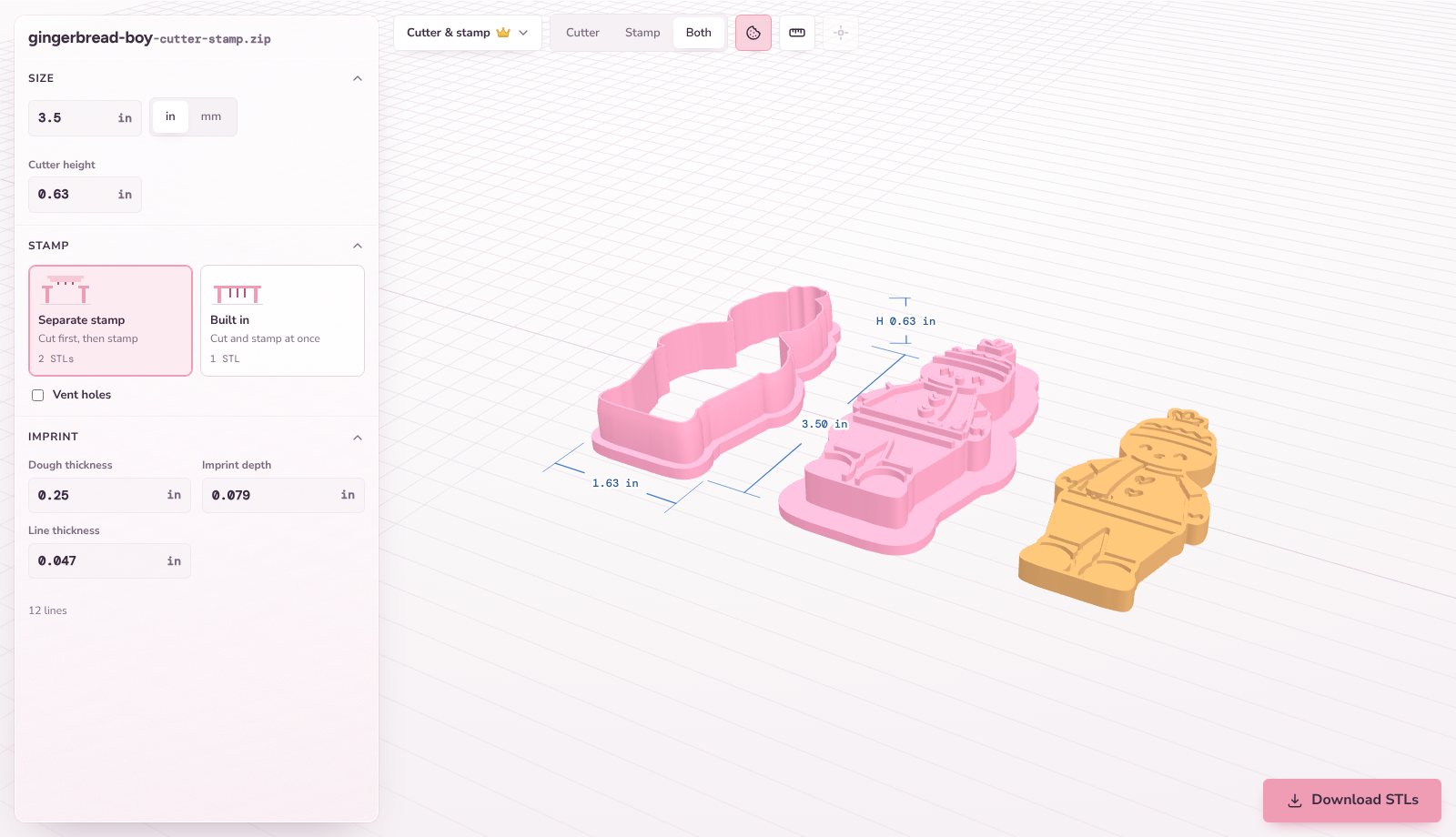
Separate stamp
Cut first, then stamp.
A cutter and a stamp that drops inside it.
gingerbread-cutter-stamp.zipgingerbread-cutter.stlgingerbread-stamp.stlBuilt in
Cut and stamp at once.
The lines stand inside the cutter, so one press does both.
gingerbread-cutter-stamp.stl
See every part before you print.
Spin the cutter, the stamp and the stamped cookie in 3D, then cut through them to check the dough, depth and lines.
Questions
What is a cookie cutter stamp?
A cookie cutter with a stamp that fits inside it. The cutter cuts the shape, then the stamp presses the drawing's inside lines into the dough, like a gingerbread man's smile and buttons.
Is it free?
Anyone can make and preview a cookie cutter stamp, with no account. Downloading needs a free account: free members get 3 cutter and stamp downloads every 30 days, and Premium ($12.99 a month or $99 a year) makes them unlimited.
How do you use a cookie cutter stamp?
Roll your dough about 1/4 in thick. Press the cutter through and leave it in the dough, drop the stamp in and press until it stops, then lift the stamp and the cutter. Chilled dough and a little flour on the stamp help it let go.
What drawings work best?
A clear drawing with dark lines on white, like a coloring page. The outline becomes the cutter and the lines inside it become the stamp. A drawing with no inside lines gives a flat stamp.
Separate stamp or built in?
A separate stamp lets you cut first and stamp second, and lifts out on its own. Built in is one part to print, and one press cuts and stamps.
Can I change how deep the lines go?
Yes. Set the dough thickness (1/8 to 1/2 in), the imprint depth (0.5 to 4 mm) and the line thickness (0.8 to 2 mm) in the 3D viewer, and see them cut through before you download.
What are vent holes?
Small holes through the stamp that let air in behind the dough, so it comes away cleanly. They are optional and stay clear of your lines.
How do I 3D print a cookie cutter stamp?
Print the cutter grip side down and the stamp flat side down with its lines on top, in PLA or PETG at 0.2 mm layers, with no supports. Check that your filament is sold as food-contact safe, wash cutters by hand in warm (not hot) water, and keep them out of the dishwasher.